

A Claude mod that guards my productivity
Two small plugins for long Claude Code sessions: a mod that asks what to do when the context grows, and a handoff that carries the work into a fresh session.
"Keep your Claude Code context small." Great advice, but who will watch the number? I would not, so I built a mod for that.
I keep reading advice on how to use Claude Code well. Anthropic's devs and independent authors preach the same thing: keep the context fairly small, and clear it, compact it or start a new session when it grows.
My sessions work the other way. I run a pile of tasks in one thread. They are logically connected, but they bloat the context, and my longest sessions ran to almost 3 million tokens. I was never going to watch the size myself, so I needed automation, and I had been meaning to try Claude's mods anyway.
Context is 66% of the window (661K tokens). What now?
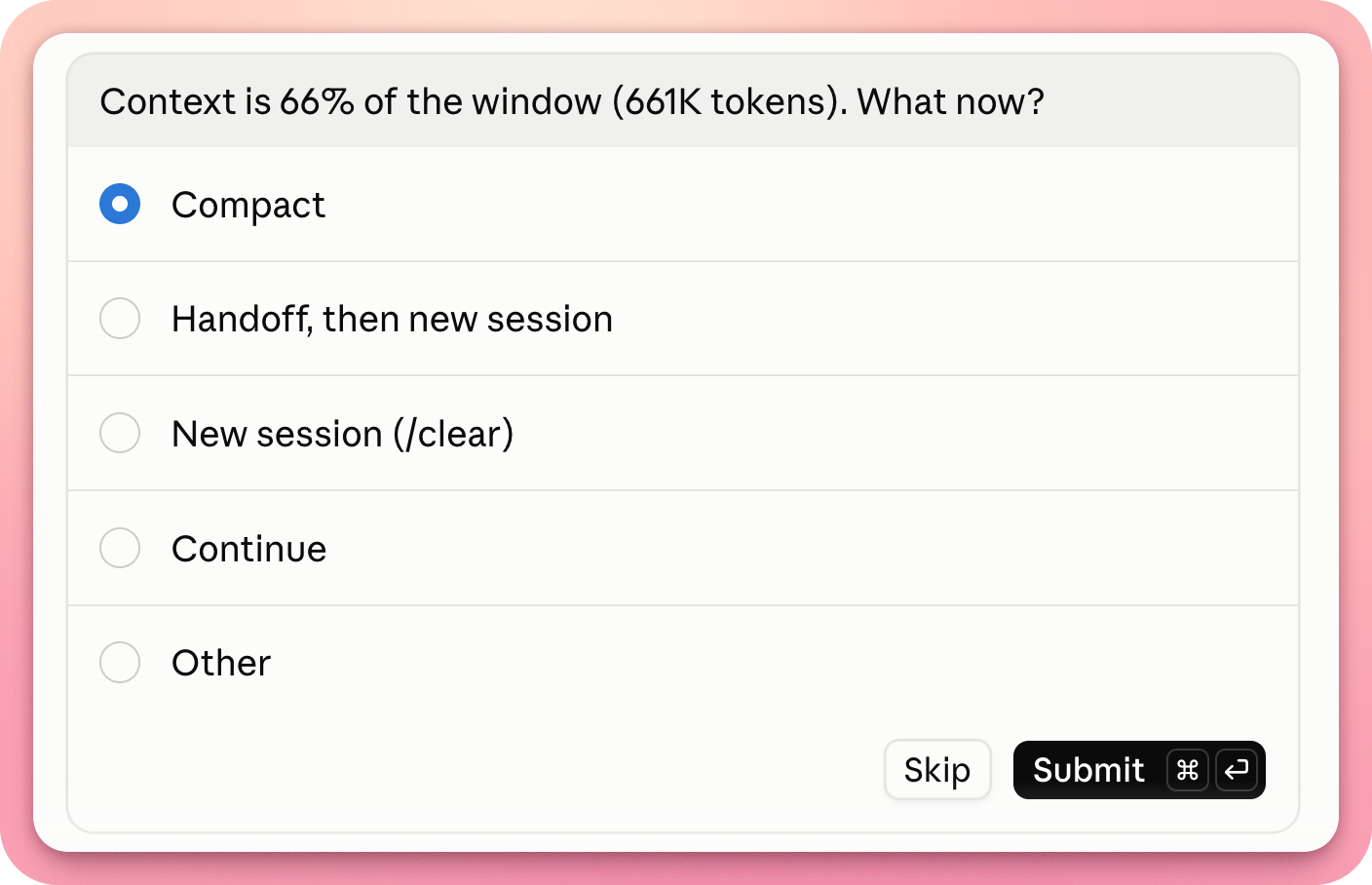
That question now shows up in my sessions. It comes from context-guard, a plugin built as a mod.
What context-guard does
After every answer it checks how big the context is. Once it passes the set threshold, the dialog from the top of this post pops up with four choices:
- Compact: shrink the context and carry on.
- Handoff, then new session: write a handoff, then open a new session (it has a use of its own, more on that below).
- New session (/clear): start from a blank page.
- Continue: change nothing.
By default the threshold is 35% of the window, about a third: 350k tokens on a window of a million. It is set as a share of the window, so on a 200k window it comes to 70k. After you pick Continue, it asks again once the context has grown by another 10% of the window, also a default. You can simply close the dialog, and the mod counts that as Continue.
On the first run it asks for the threshold and for the step before the next question, then remembers both, and /context-guard changes them later. The Handoff option only shows up when you have the handoff skill. The mod also counts how I use it: how many times the dialog came up and what I picked. The counts stay on my machine and go nowhere.
The mod now has a permanent band above the prompt too: one line that shows how full the window is and where the next ask comes.
ctx-grd ████▉░│░░░ 26% used | next ask at 35% [ Compact ] [ Handoff ] [ Clear ]
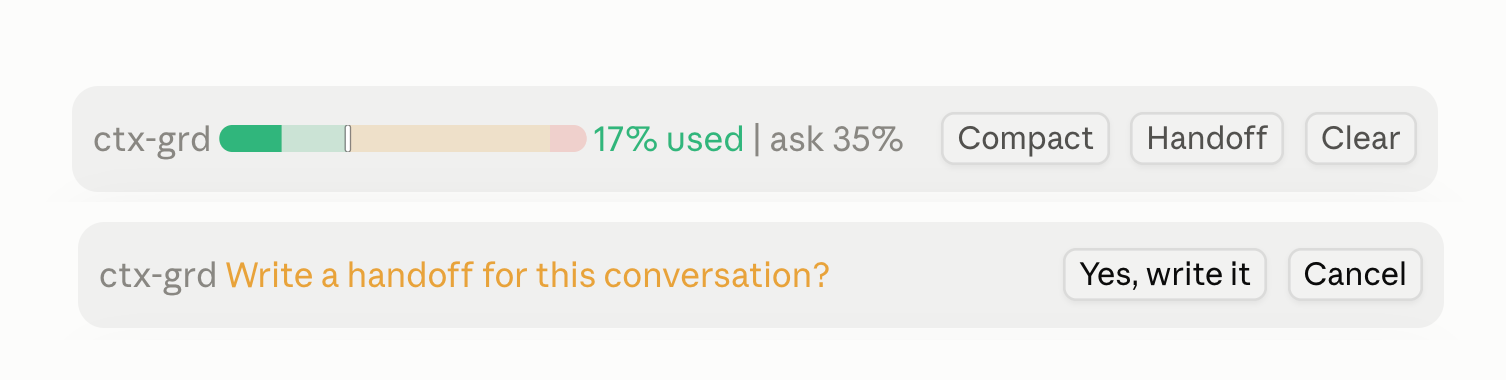
The band is green below the threshold, amber past it and red from 90%. The white mark on it is the next ask. The three buttons do what the dialog's answers do, but each asks you to confirm first, in the band itself: the focus starts on Cancel, and if you do not answer within 20 seconds nothing runs. The band is drawn in the terminal and in the Claude desktop app, and /context-guard style keeps only the dialog or only the band.
What handoff does
I already had an older skill of my own that passed work into a new session. While planning the guard I decided to update it, and Claude and I rebuilt it from scratch. /handoff writes a JSON file about the current session, checks it against a schema, then prints the path to the file and a short starting prompt for the new session.
Here is the path from the question to the new session:
- You choose "Handoff, then new session".
- The agent writes the handoff, checks it against the schema and gives you the path. Meanwhile the mod reminds you to run
/clearonce the file is ready and paste the path into the new session. - In the Claude desktop app a launch card for the new session appears, where you pick a model and effort. Outside the app the skill just prints the prompt to paste.
- The new session reads the file and compares the environment with reality: folder, branch, uncommitted files. It says what differs and only then takes the next step.
The file holds everything the next agent needs:
- the goal of the session;
- what is done, with a mark on each item saying whether it was checked and how;
- what was not checked;
- decisions and their reasons;
- dead ends, so the next agent does not walk into them again;
- open questions;
- the environment: folder, branch, uncommitted files, what is still running;
- references to documents and files;
- one next step.
Abridged, the file looks like this:
{
  "goal": "...",
  "state": {
    "done": [{ "item": "...", "verified": true, "evidence": "the command that proved it" }],
    "not_verified": ["..."]
  },
  "dead_ends": [{ "tried": "...", "result": "..." }],
  "next_step": { "action": "...", "first_command": "..." }
}
What I care about most is the split between "done and checked" and "not verified". The new session treats as established only what the file marks as checked, and everything else is unknown to it. The skill always writes in English, even when the session ran in another language, and copy that has to be kept word for word goes into a separate verbatim_copy field.
Where else a handoff can go
A handoff is a plain file at a known path, so nothing stops you from opening it in a session of another project. You never know where it will come in handy.
Install
Hand your agent this line, and it will work out the rest and ask before every step :)
Install session-kit for me. Read https://raw.githubusercontent.com/WIPexpert/mikeday-session-kit/main/INSTALL.md and follow it. Tell me in plain words what you are about to do, and ask me before you change anything.
Your turn
The repository is called Mike Day Session Kit and carries an MIT license: https://github.com/WIPexpert/mikeday-session-kit
I think plenty of people will like it, and it certainly won't hurt. Install it, use it, and if something breaks, tell me in GitHub Issues.
I wrote this story in Russian too, as a separate text and not a translation: the Russian post.